
Blueprints
Blueprint System
Configuration folder location: drawings
Visual Guide
Step 1: Select blueprint to generate via command
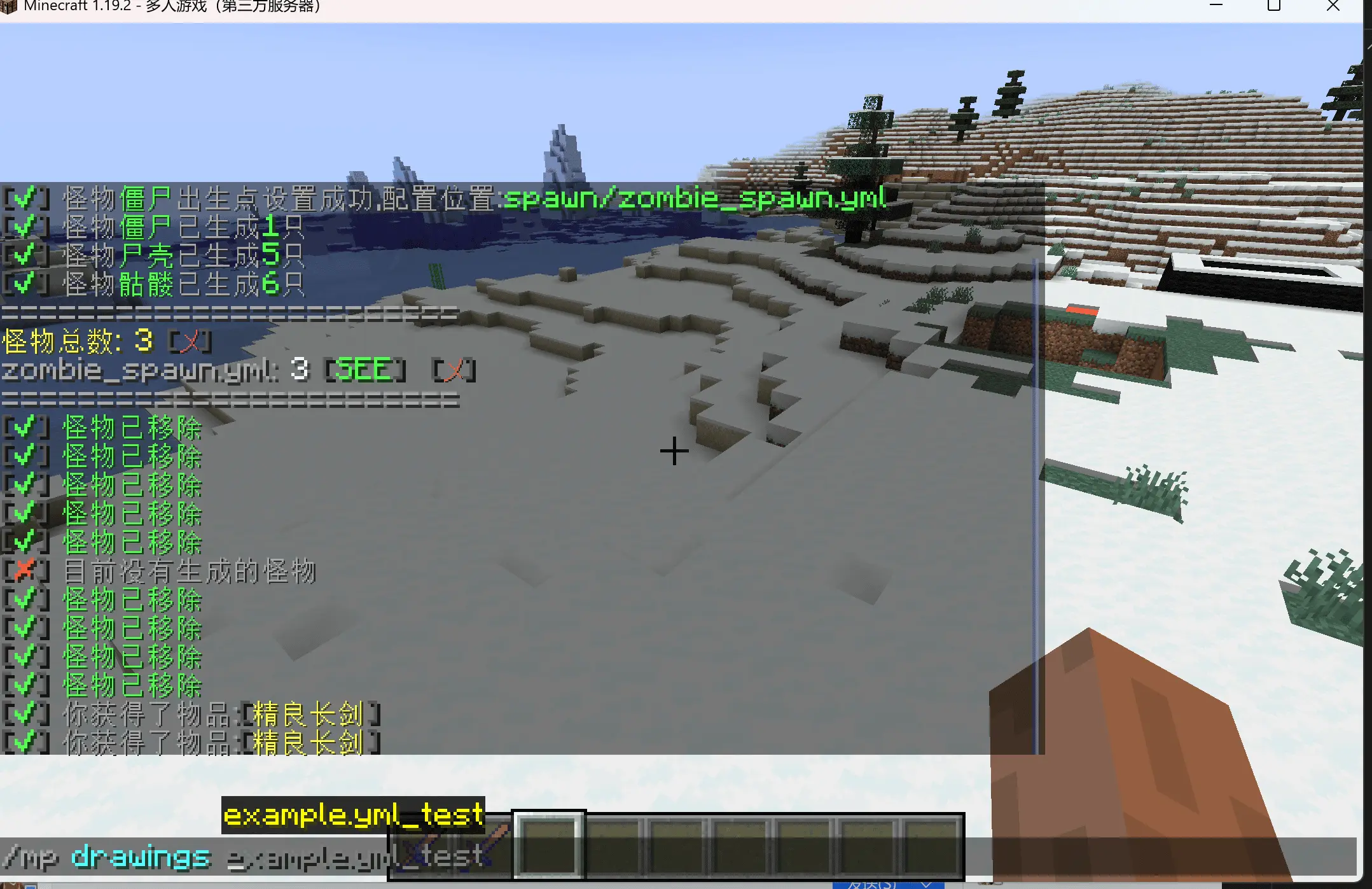
Step 2: Specify quantity of blueprints to generate
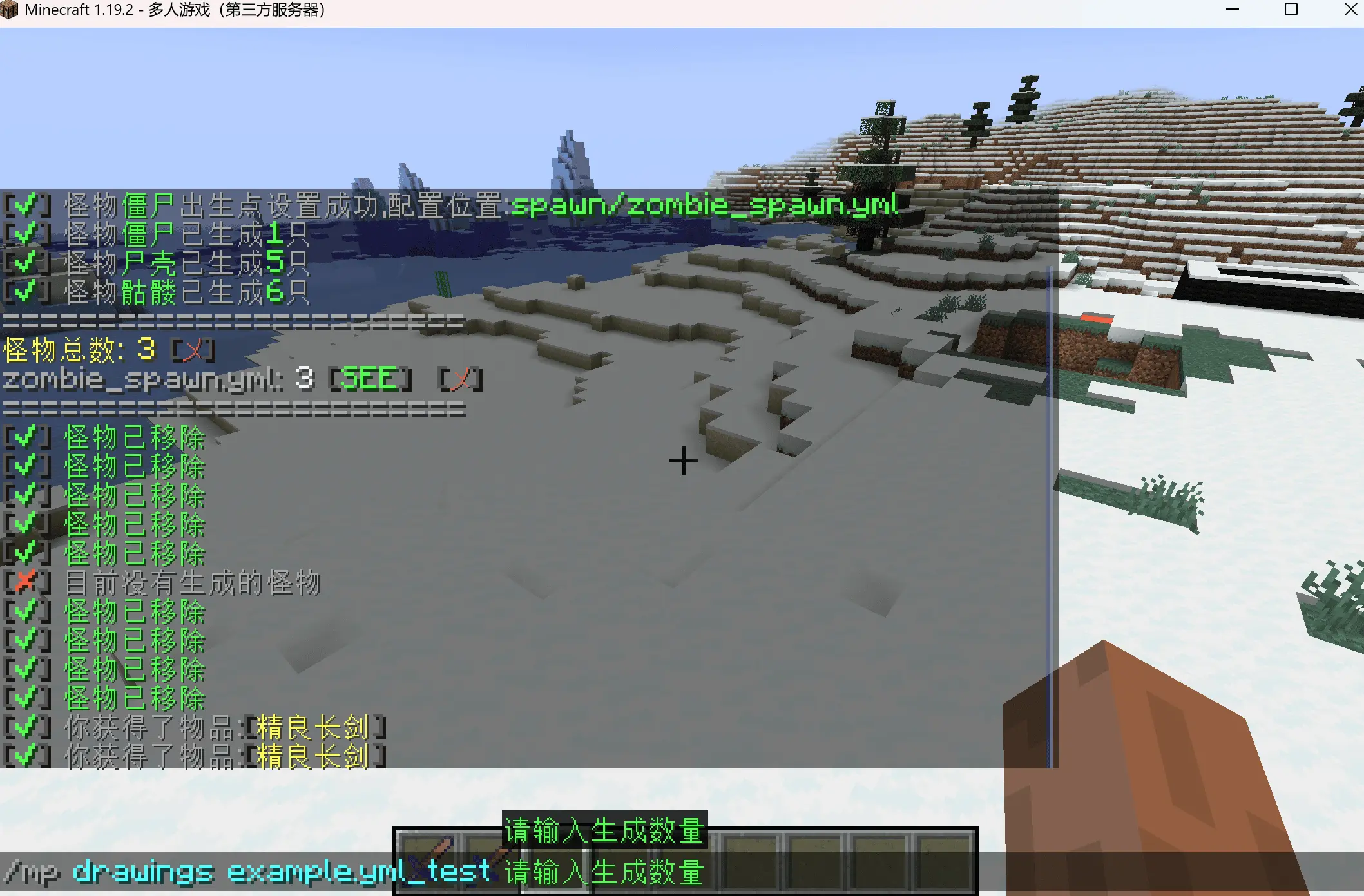
Step 3: Right-click block while holding blueprint (cannot be air)
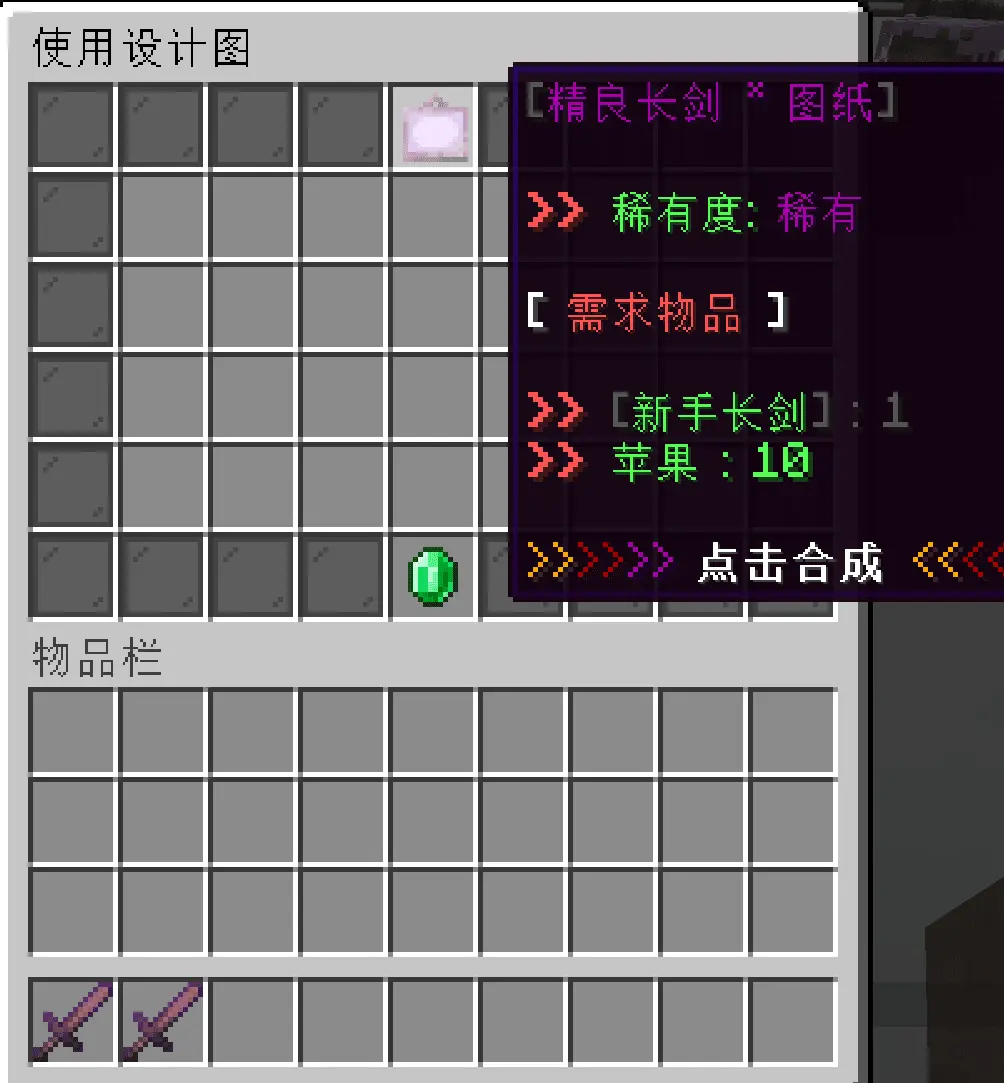
Step 4: Click craft button (without materials)
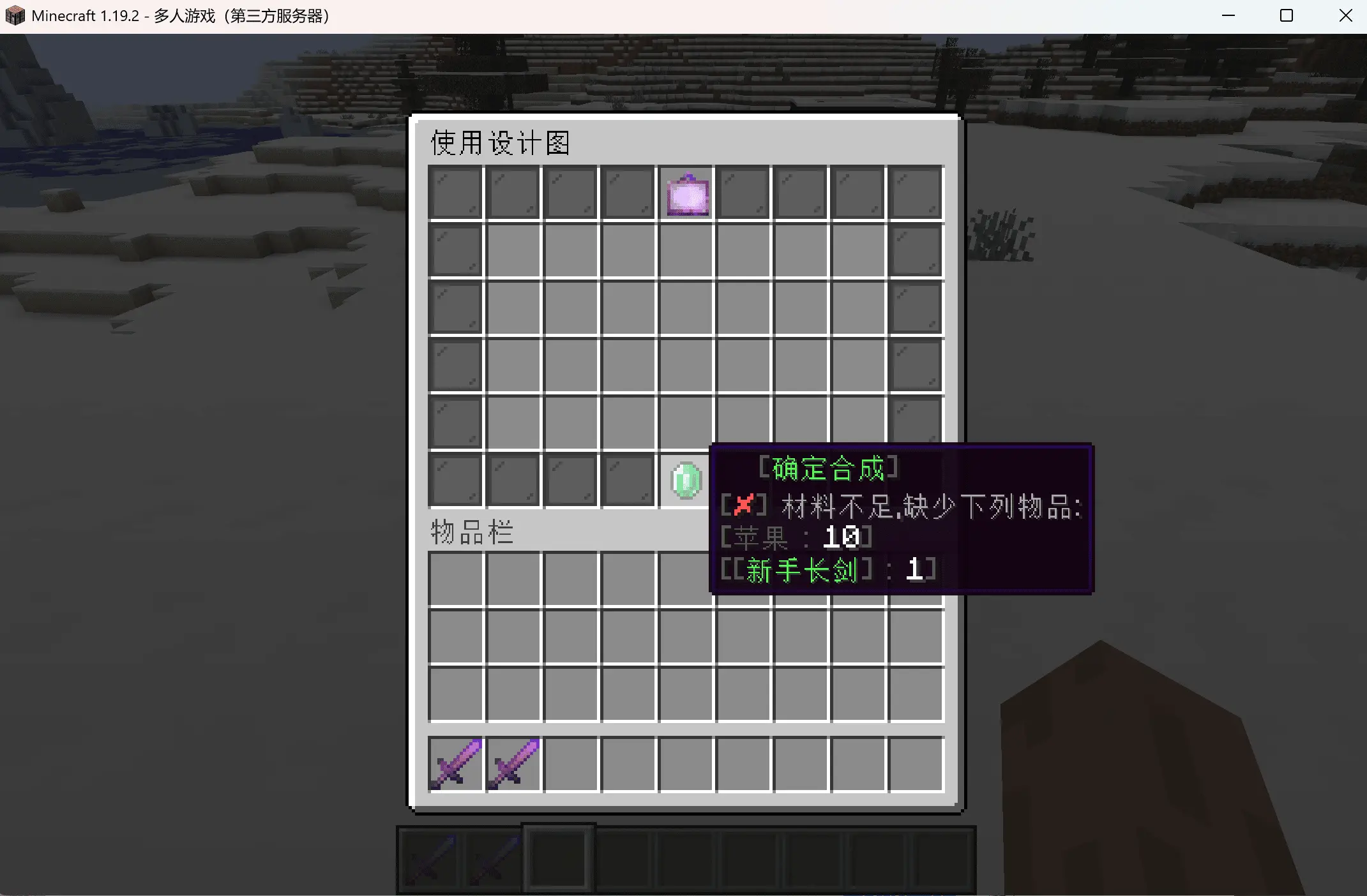
Step 5: Click craft button (with partial materials)
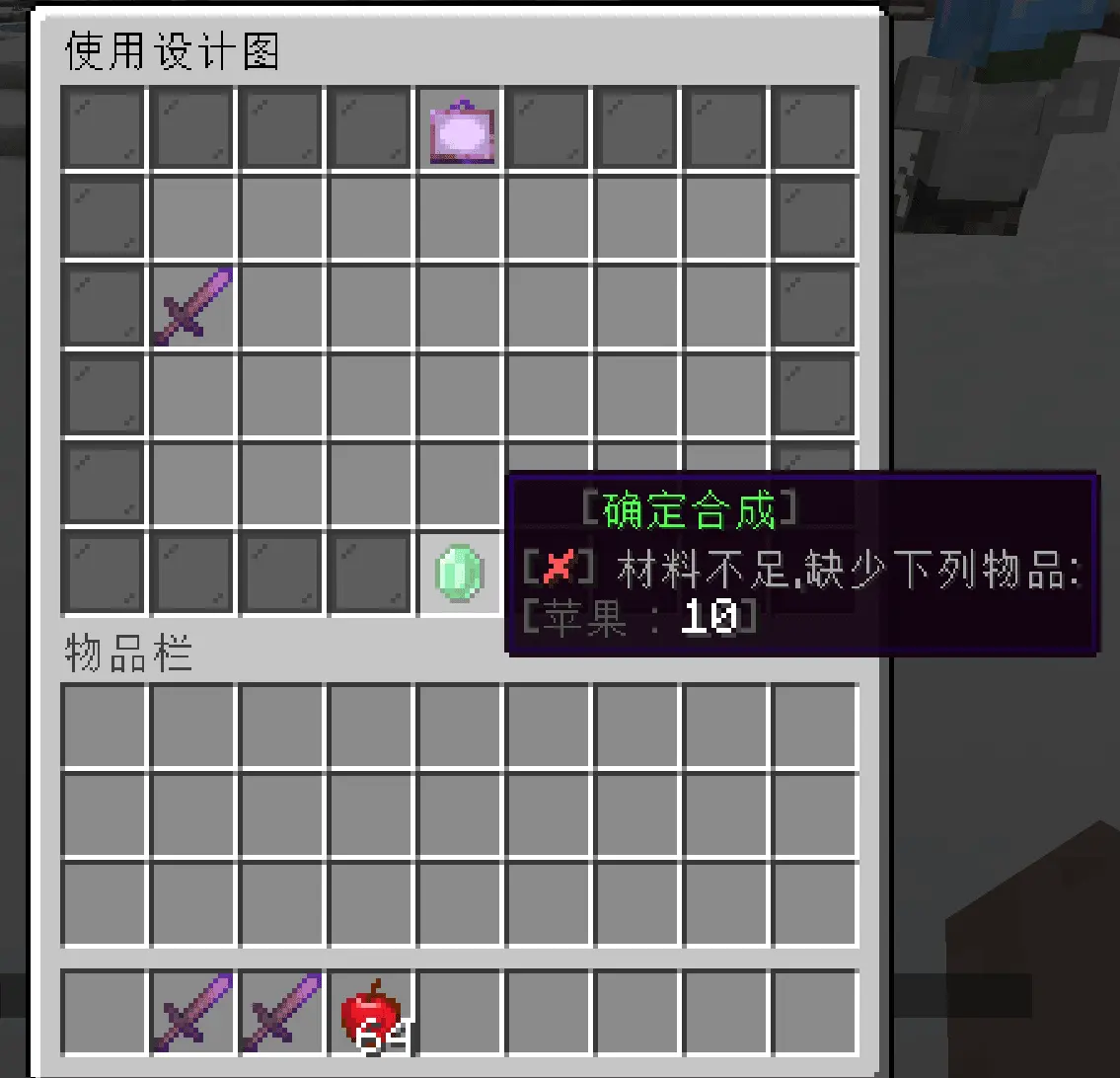
Step 6: Click craft button (with partial materials)
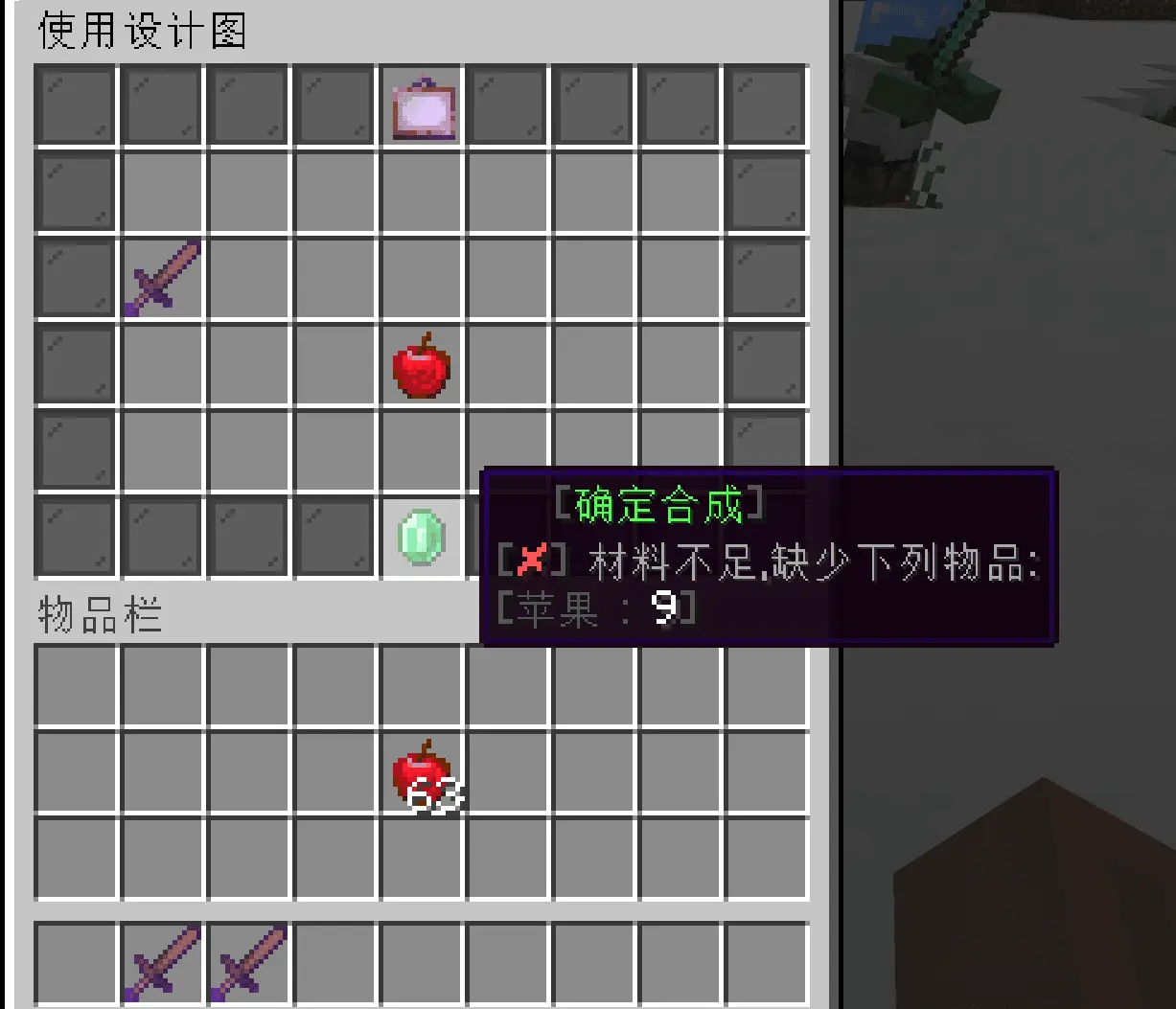
Step 7: Crafting successful, receive item
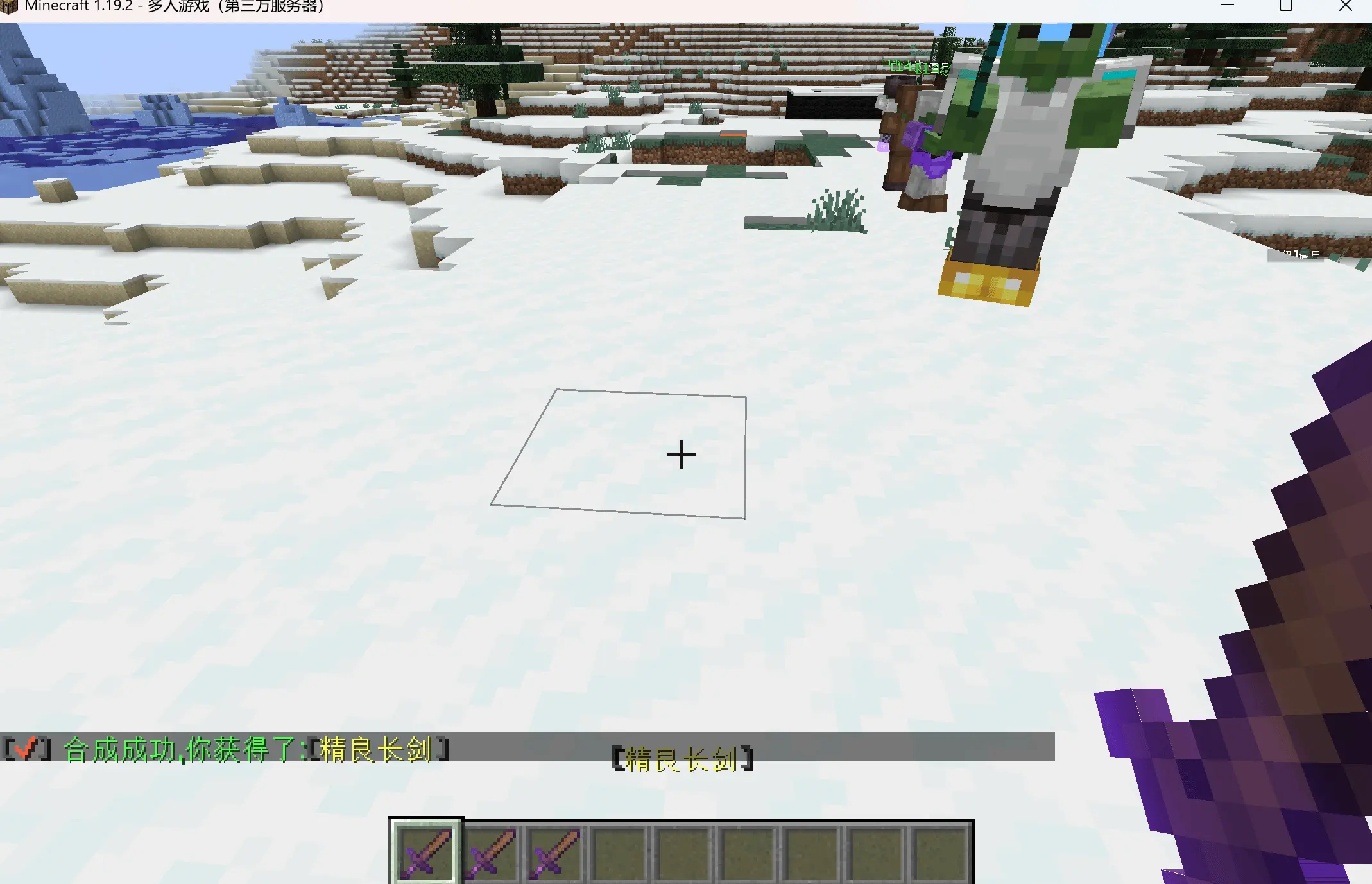
Blueprint Configuration
Configuration folder location: drawings
Configuration Example
# Blueprint key, can be any name but must be unique
test:
  # Display name
  name: "&5Fine Longsword * Blueprint"
  # Display item material
  material: PAPER
  # Whether to show the enchantment glint
  isEnchant: true
  # Custom model data, works on 1.14+, 0 = disabled
  custom-model-data: 0
  # Tooltip style
  tooltipStyle: ""
  # Custom item model
  itemModel: ""
  # Display lore
  lore:
    - ''
    - '&c&l>> &aRarity: &5Rare'
    - ''
    - '&f[ &cRequired Items &f]'
    - ''
    - '&c&l>> &a${item}'
    - ''
    - '&6>>&4>>&5>> &f&lClick to craft &6<<&4<<&5<<'
  # Items required for crafting
  need:
    - "APPLE: 10"
    - "[ITEM]example.yml_woodenSword: 1"
  # Crafting result
  item: "[ITEM]example.yml_精良长剑"
  # Commands executed after crafting, ${player} is the player name
  commands: []
Configuration Options
- name: Blueprint display name, supports color codes
- material: Blueprint material,
PAPERis recommended - isEnchant: Whether to show the enchantment glint
- custom-model-data: Custom model data,
0= disabled - tooltipStyle: Tooltip style, requires server support
- itemModel: Custom item model, requires server support
- lore: Blueprint description,
${item}is replaced with the required items - need: Required item list
- item: Crafting result
- commands: Commands executed after crafting,
${player}is replaced with the player name
needsupports vanilla items,[ITEM]and[CE];itemadditionally supports[DRAWINGS],[PlayerIntensify]and[IA]
Craftable Items
Vanilla Items
- Format:
material:quantity
DIAMOND: 10- Format:
Plugin Items
- Format:
[ITEM]filename_itemNode:quantity
[ITEM]example.yml_woodenSword: 1- Format:
PlayerIntensify Plugin Items (1.3.3+)
- Enhancement Coupons:
[PlayerIntensify]intensifyCard-level-type:quantity- High-Grade Cokes:
[PlayerIntensify]enchantedCokes:1- Protection Amulets:
[PlayerIntensify]protectionAmulet:1- Sacred Protection Coupons:
[PlayerIntensify]protectionCard:1- Regular Cokes:
[PlayerIntensify]ryanCokes:1- Enhancement Potions:
[PlayerIntensify]secretMedicines:1CraftEngine Plugin Items (1.7.0+)
- Crafting Target Format: [CE] namespace:value: [quantity]
[CE]aaa:bbb:1
- Crafting Result Format: [CE] namespace:value
[CE]aaa:bbb
Important Notes
Avoid using interactive item types (e.g. maps, paintings) for blueprint materials - paper is recommended.