Tutorial
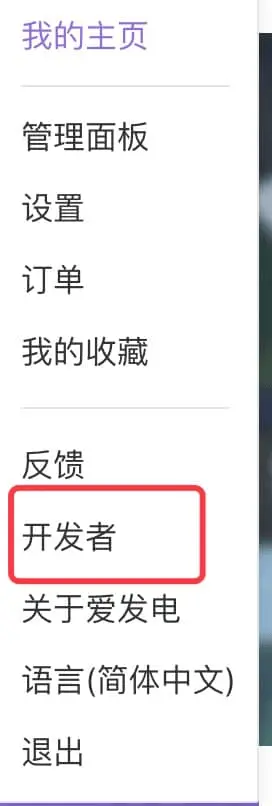
Step 1: Get Developer Information
Click to find user_id and token, fill these two values into the plugin's config.yml configuration
Note: Plugin cannot load if these two values are not correctly filled
Step 2: List Products
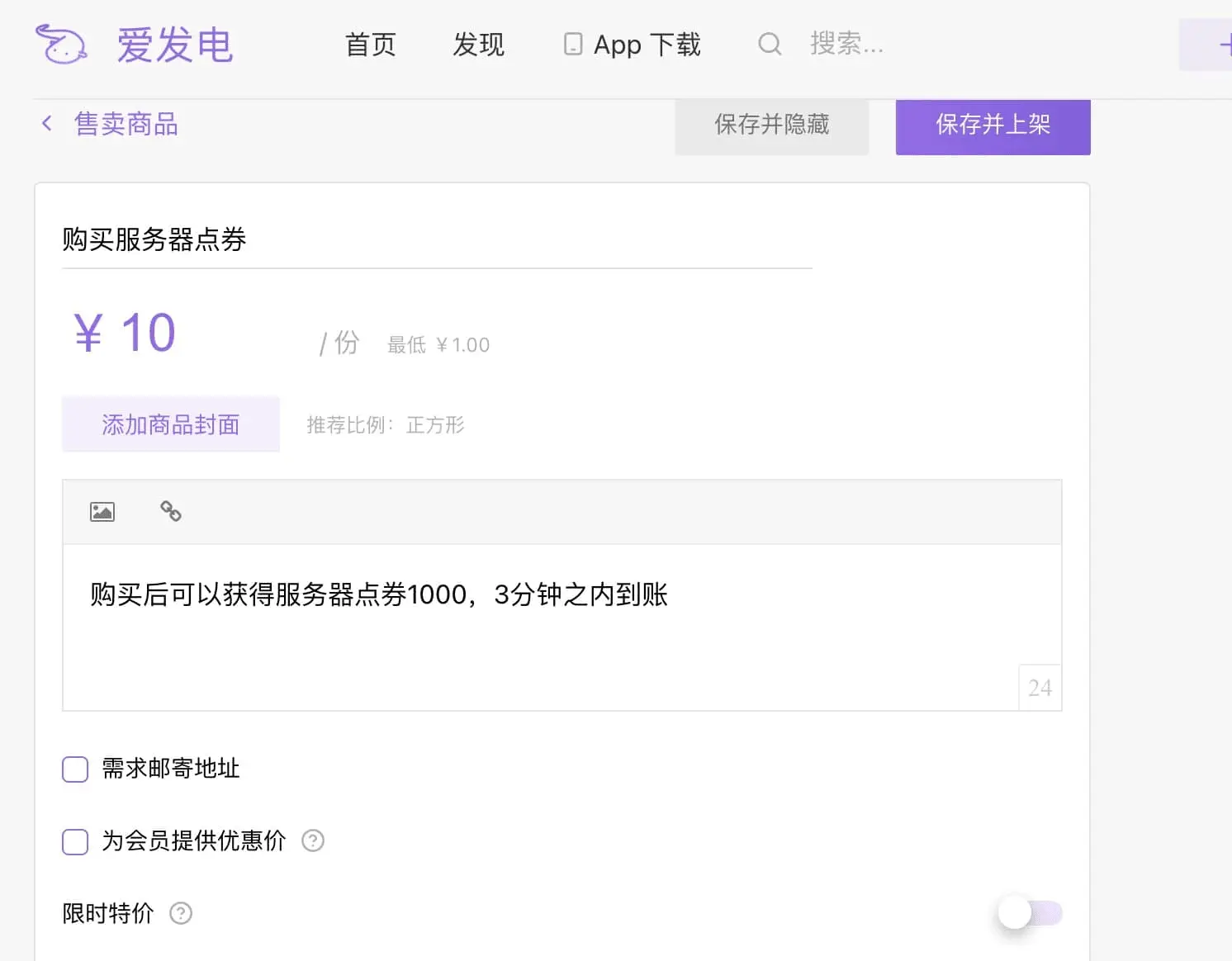
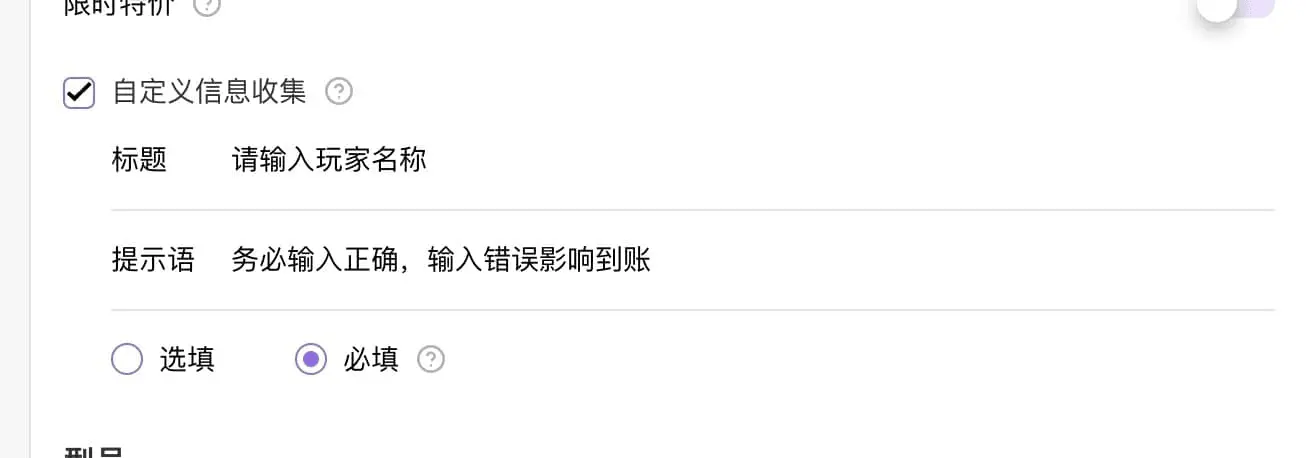
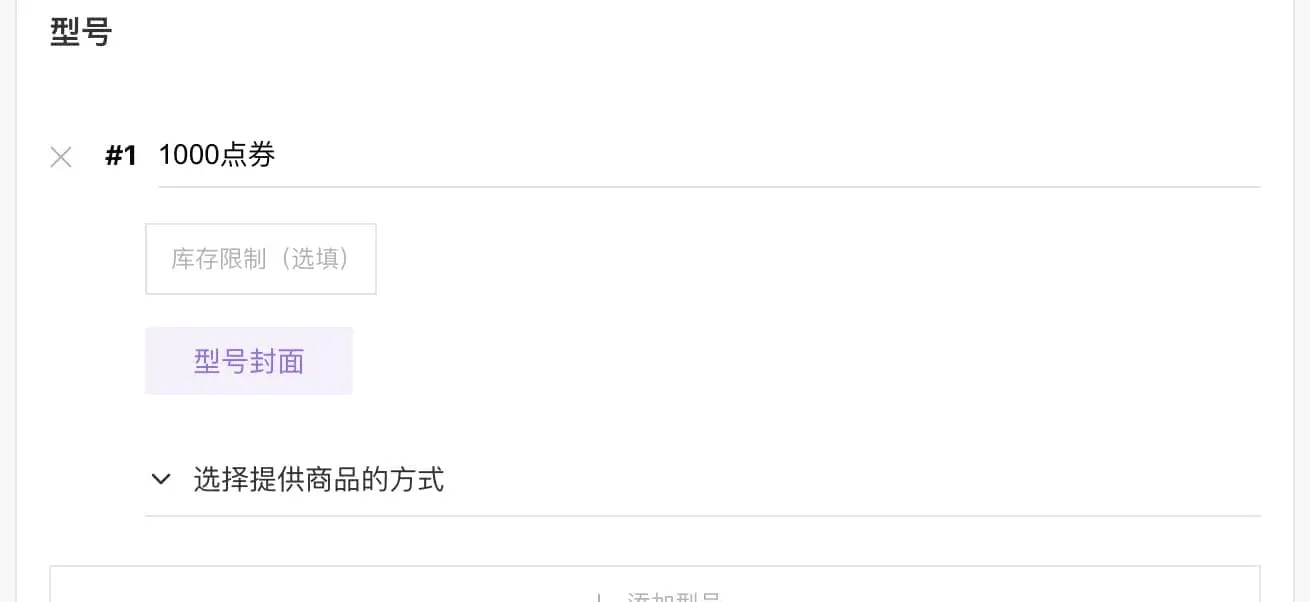
Remember to configure corresponding product names in the configuration: Product Name -> Reward
Judged by model name, please do not duplicate
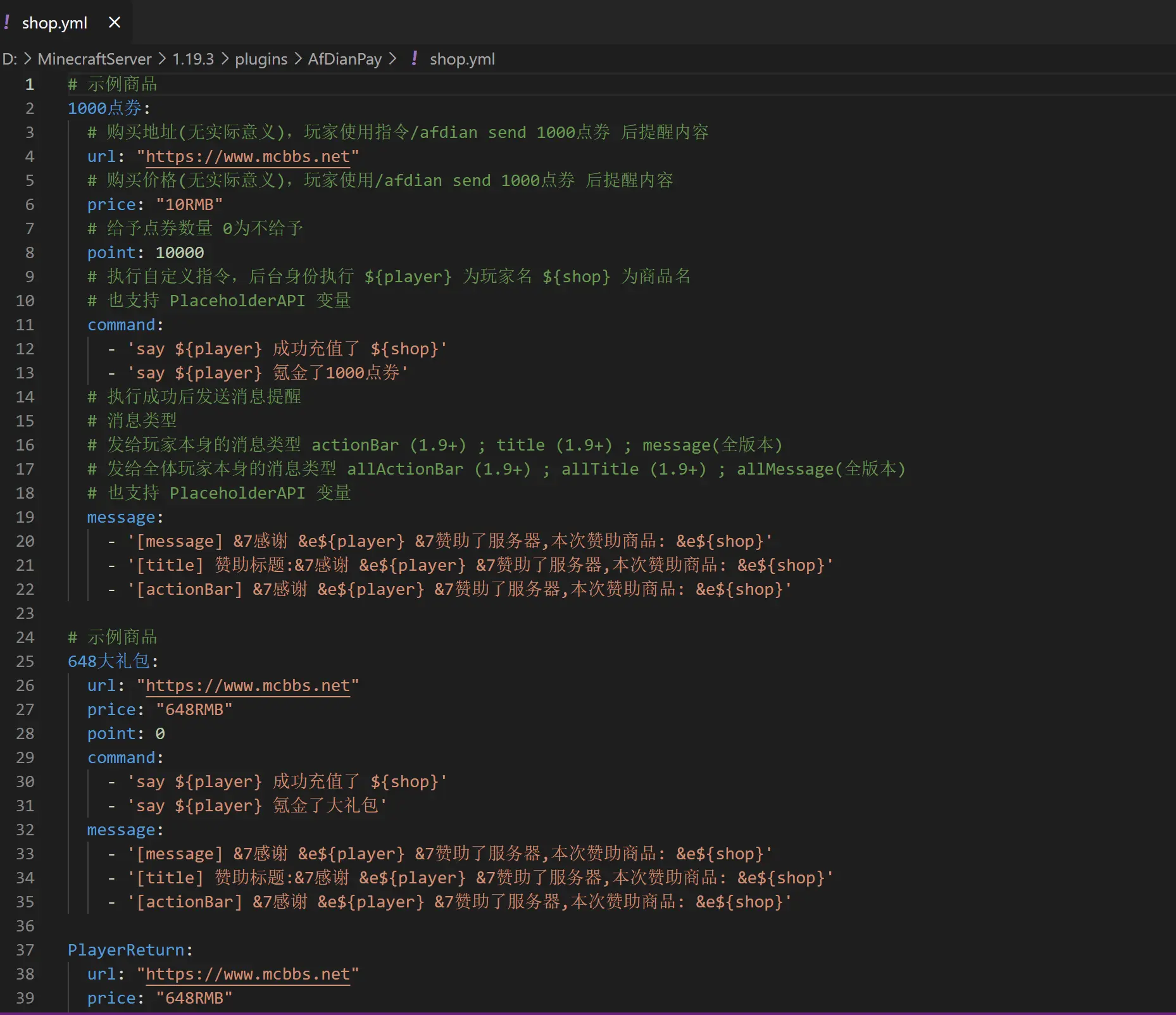
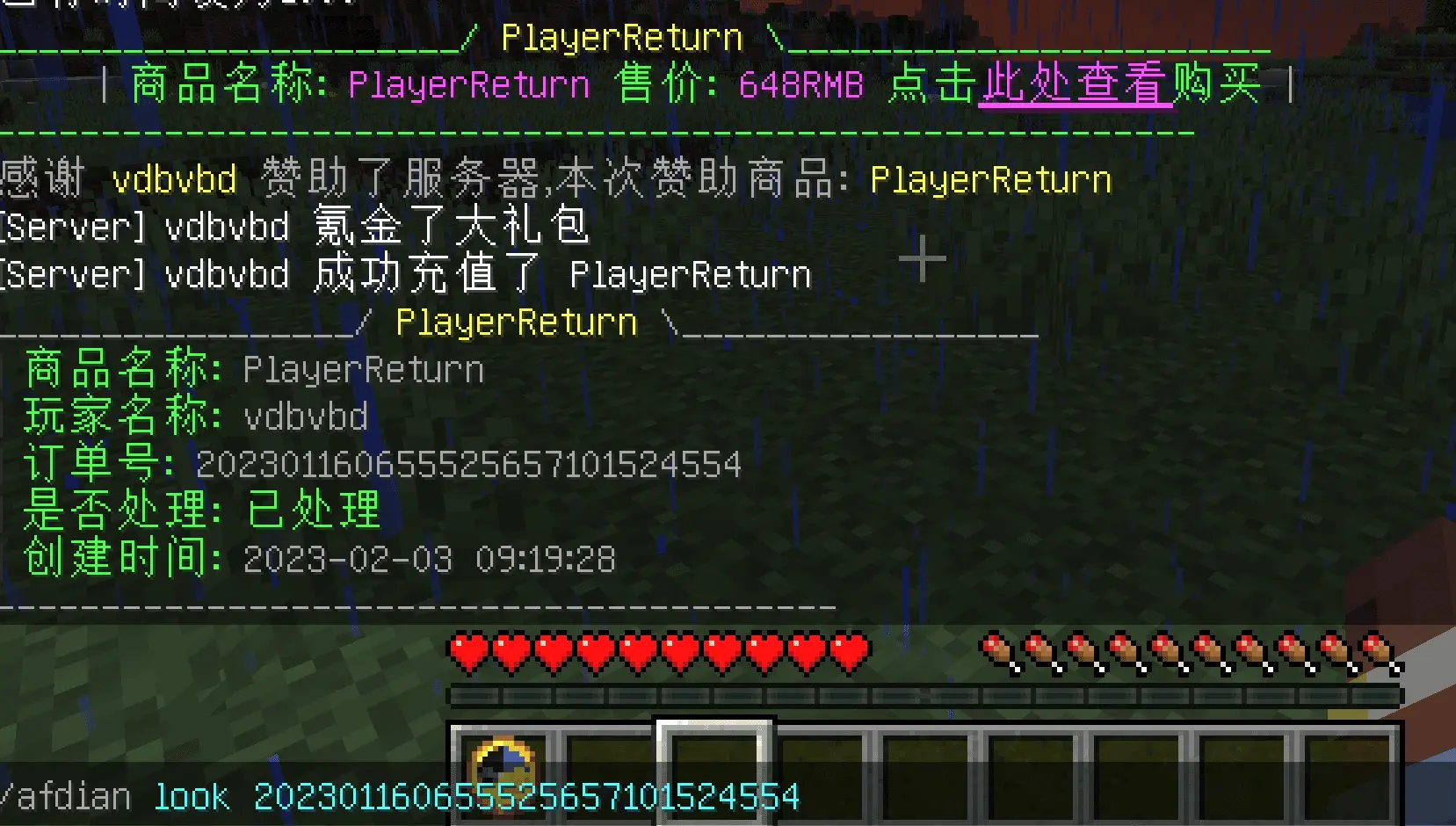
Step 3: Player Purchase (Provide command shortcut to remind purchase link)
Can integrate with menus, NPCs, etc. to automatically remind players to click and jump
afdian look [order number] can only be queried by OP for order status
Step 4: Complete
That's it, it's that simple to use. Players click the link to purchase and rewards are automatically delivered within 3 minutes
Step 5 (Added 2023-09-16)
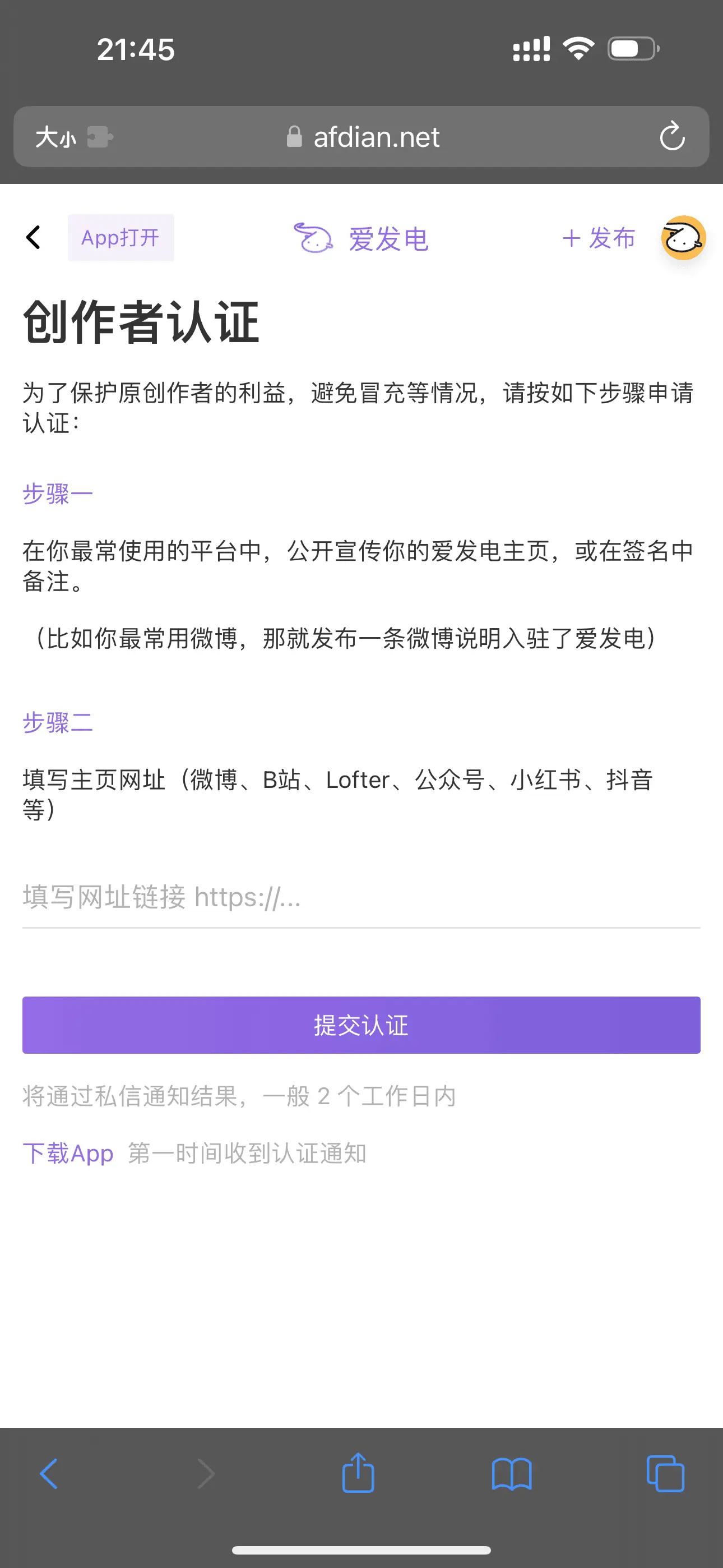
Due to Aifadian rule changes, you need to complete creator verification before normal use Otherwise, store model names will always be Model 1 no matter how you modify them